By TherapyNotes, LLC on May 20, 2026

As with all maintenance releases, TherapyNotes® 2026.04 includes numerous system-wide improvements, including bug fixes, performance enhancements, and usability adjustments. This release also includes additional features that will be announced and enabled next week. Here are some noteworthy updates available now.
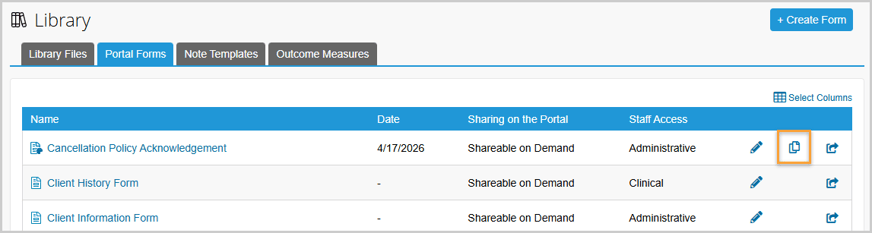
Copy Custom Portal Form Templates
Practice Administrators can now copy custom Portal Form templates to quickly create new variations, saving time and reducing the need to build forms from scratch. The new Copy option works similarly to Custom Notes, allowing you to duplicate a customized portal form in the builder and modify it as needed. This option is available for custom portal forms only (not built-in portal forms).
Streamlined Library File Actions
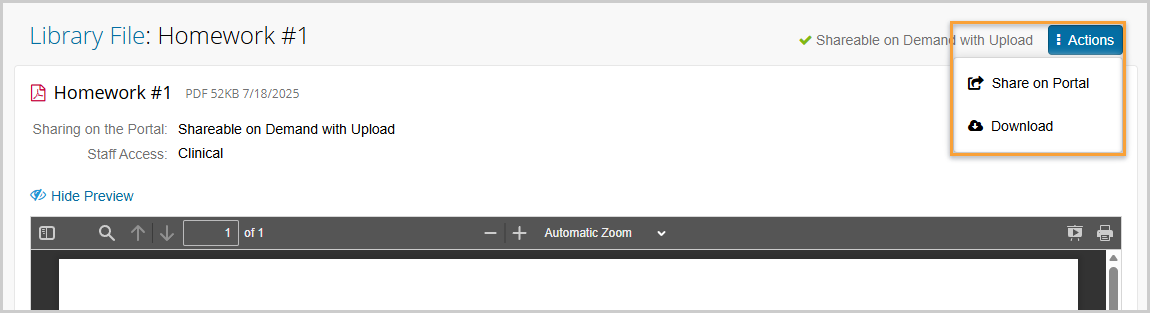
For Library Files, we’ve added a new Actions button at the top-right of the page. This provides quick access to options like Share on Portal and Download, which were previously located at the bottom of the page. Now, you can complete these common tasks without needing to scroll, making the workflow faster and more convenient.
Expanded Appointment Alerts
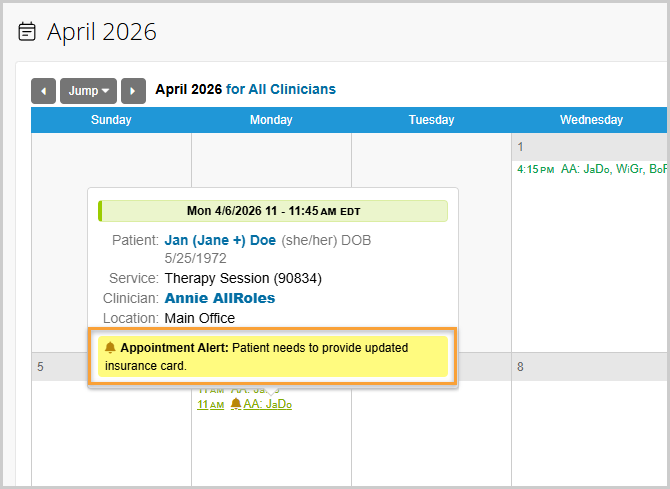
The Appointment Alert field now supports up to 1,000 characters for new or existing appointments, giving you more space to include important details, instructions, or reminders. With the expanded character limit, Clinicians, Clinical Administrators, and Practice Schedulers can provide more complete context, helping ensure everyone is aligned and better prepared before the session.
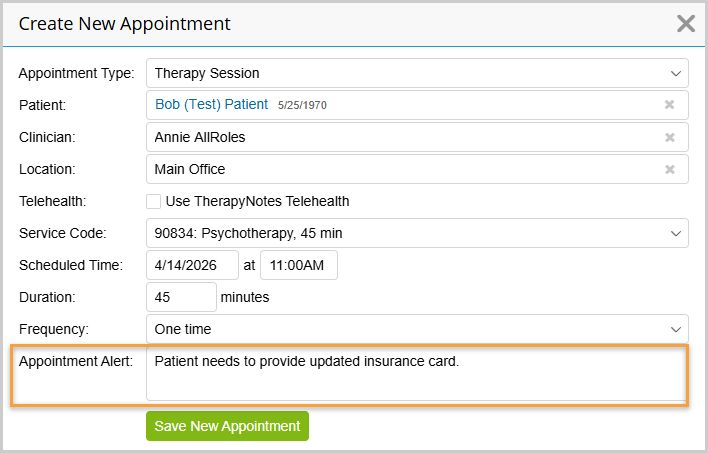
As a reminder, Appointment Alerts appear as a bell icon on the Scheduling screen, making it easy for your team to quickly spot key information tied to a specific appointment.
Support for Telehealth Picture-in-Picture
Picture-in-picture is now supported again for Telehealth sessions. This allows you to keep your video preview, or your client’s, visible while navigating elsewhere in TherapyNotes, helping you stay engaged during your session. Picture-in-picture is a feature provided by your web browser, so availability may vary depending on the browser you’re using. It is commonly supported in browsers such as Google Chrome and Microsoft Edge.

New Group Progress Note Experience Coming Soon
Next week, we’ll be introducing a guided documentation experience for group sessions using the DAP format (Data, Assessment, Plan). The update is designed to help reduce repetitive documentation, simplify participant note completion, and make it easier to move through group session documentation efficiently.
Clinicians will see a more guided, step-by-step process for completing group notes, including faster participant selection, automatic carry-forward of shared note content, and easier navigation between participant notes. Because this update changes how group progress notes are completed, clinicians who offer group appointments should expect a slightly different documentation experience beginning next week. More details will be shared when this feature is available.
* The content of this post is intended to serve as general advice and information. It is not to be taken as legal advice and may not account for all rules and regulations in every jurisdiction. For legal advice, please contact an attorney.
Get more content like this, delivered right to your inbox. Subscribe to our newsletter.
More Content You'll Enjoy
TherapyNotes Achieves HITRUST AI Security Certification for TherapyFuel

What’s New: Messaging Glow Up and Workflow Improvements