By TherapyNotes®, LLC on October 13, 2026
Last week, we gave you an early look at a refreshed navigation experience coming to TherapyNotes®. Now, it’s here!
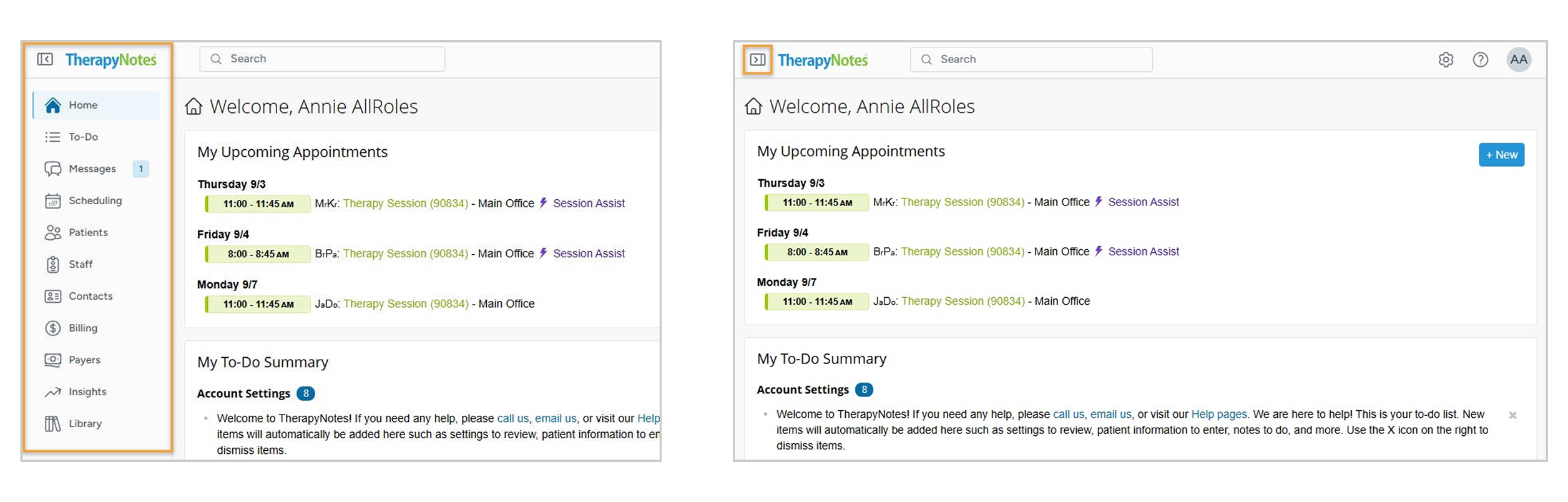
Based on your feedback, we've updated the main navigation to give you more workspace and easier access to the tools and resources you use most. The familiar sidebar remains available for navigating TherapyNotes®, while a new top navigation brings commonly used tools together in one place. We've also improved navigation for smaller screens, creating a more flexible experience across devices.
Quick Access from the Top Navigation
The new top navigation provides convenient access to Global Search, Settings, Support, and your Profile menu from anywhere in TherapyNotes®, while the sidebar remains your primary way to navigate between pages.

More Workspace with a Fully Collapsible Sidebar
You can now fully collapse the sidebar when you want more room to work, without losing quick access to your navigation options.
-
Quickly access the collapsed sidebar: Hover over the Show Sidebar button to temporarily display the main menu. After selecting a navigation option, the sidebar automatically returns to its collapsed state.
-
Use a keyboard shortcut: Press the [ key to collapse or expand the sidebar without using your mouse. The shortcut won't activate while you're typing in a field, such as when completing a note.
-
Navigate on smaller screens: On mobile devices, smaller tablets, or narrow browser windows, the sidebar automatically hides and becomes a dropdown menu, keeping navigation accessible without taking up valuable screen space.
If you prefer to keep the full navigation visible, select the Show Sidebar button to expand it as you work.
Global Search, Wherever You Are
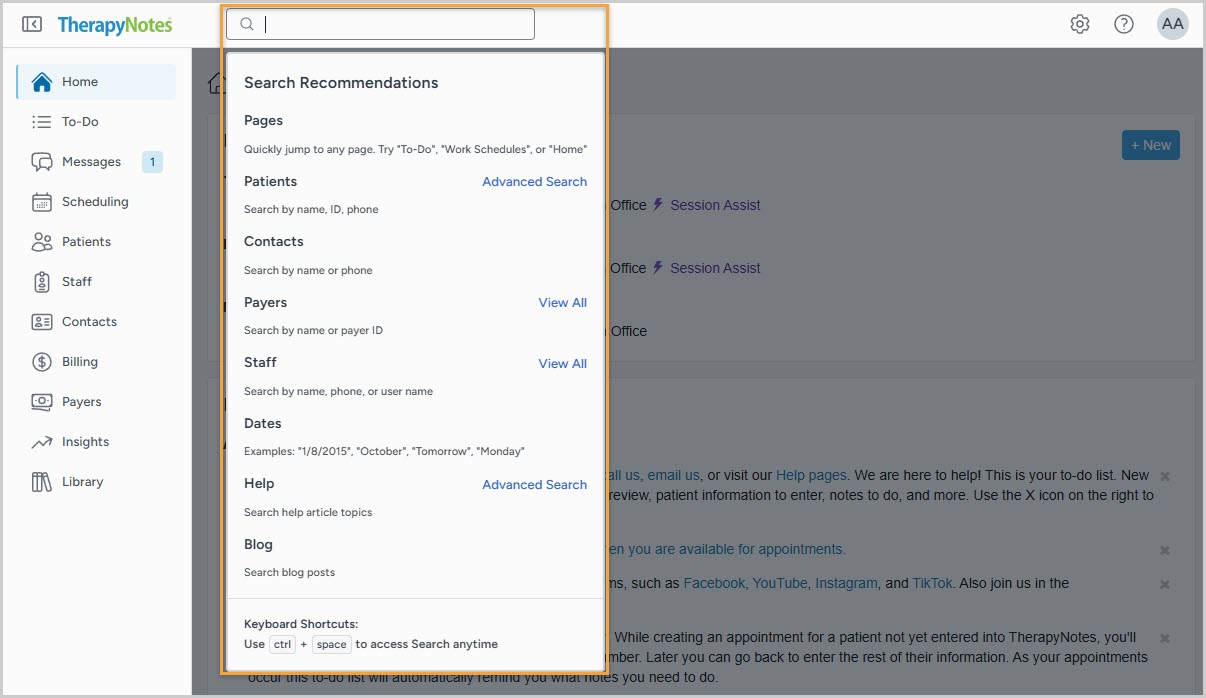
Global Search has moved to the top navigation, so you can search from anywhere in TherapyNotes®, even when your sidebar is collapsed. Search results now appear in a dropdown, helping you find what you need without leaving the page you’re working on.
New Support and Profile Menus
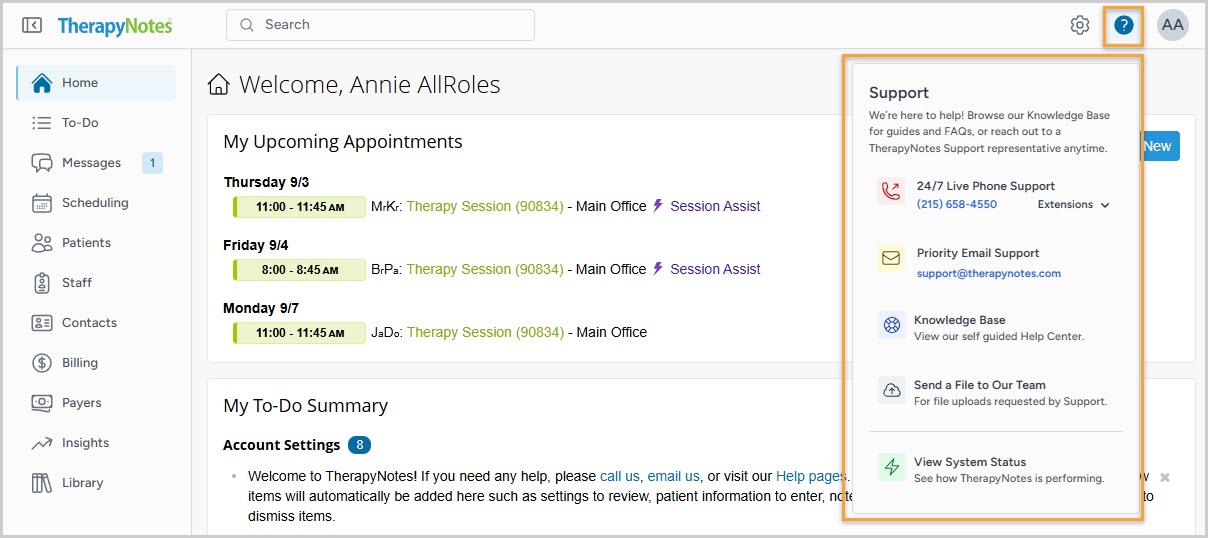
The top navigation bar now brings important support resources and account information together in two convenient menus. The Support Center provides quick access to 24/7 Live Support phone numbers, Support email, the Knowledge Base Help Center, System Status, and a new Send a File to Our Team option for securely sharing files with TherapyNotes® Support when requested.
The updated Profile menu displays your Practice Code for easy reference when contacting Support, along with quick links to your Profile, Referral Rewards, TherapySearch™, and Log Out.
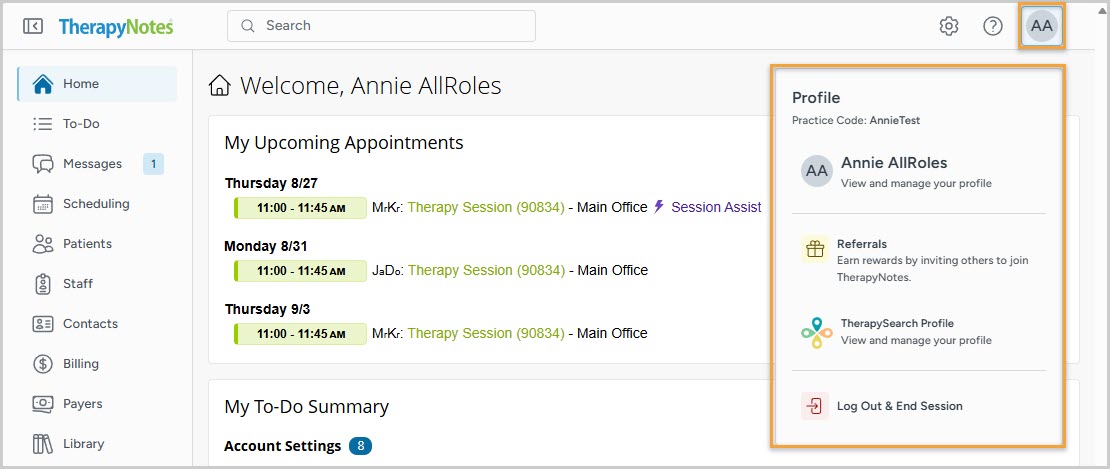
These updates make everyday navigation more flexible, with additional workspace, easier access to commonly used tools, and an improved experience across screen sizes.
* The content of this post is intended to serve as general advice and information. It is not to be taken as legal advice and may not account for all rules and regulations in every jurisdiction. For legal advice, please contact an attorney.
Get more content like this, delivered right to your inbox. Subscribe to our newsletter.
More Content You'll Enjoy

What’s New: More Flexible TherapyPortal™ Access & Scheduling

What’s New: Scheduling Insights & Enhanced Session Assist