By TherapyNotes, LLC on January 28, 2026

As with all maintenance releases, TherapyNotes® 2026.01 includes numerous system-wide improvements, including bug fixes, performance enhancements, and usability adjustments. This release also includes additional features that will be announced and enabled next week. Here are some noteworthy updates available now.
Telehealth Experience Enhancements
We are aware some of our customers have had Telehealth reliability issues and this release includes a variety of improvements. If you continue to experience any issues with Telehealth, please contact support.
-
Following a failure to make a connection, Telehealth will now do a better job of retrying automatically.
-
Connection status notifications will now more accurately reflect when there is an issue with fewer unnecessary alerts.
-
Name formatting in the in-call chat was improved.
-
An issue was resolved that caused closed captions to display incorrectly on medium-sized screens such as iPads.
-
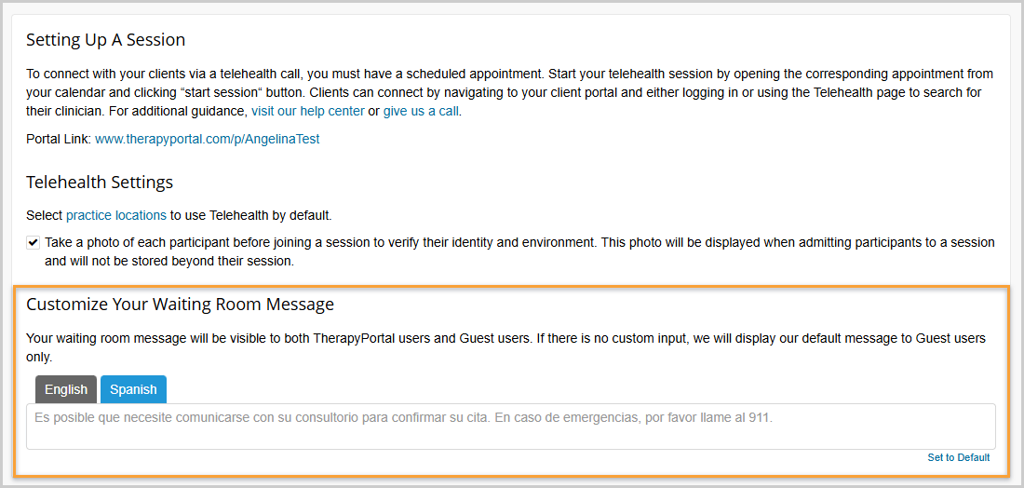
The Telehealth waiting room experience has also been enhanced to better support Spanish-speaking clients. On the Telehealth Settings page, Practice Admins can now provide a Spanish custom waiting room message, which will automatically be used based on the client’s portal language setting.
Settings Updates for Practice Admins
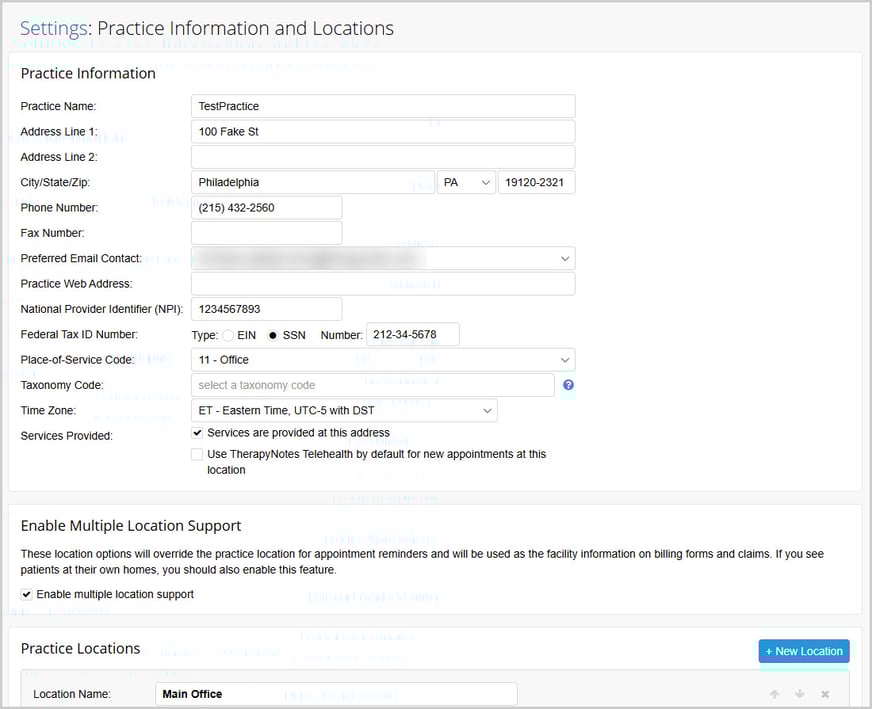
The Practice Information and Multiple Practice Locations settings pages have been combined into a single page called Practice Information and Locations. This page now includes your main business details such as NPI, Tax ID, primary contact information, and time zone, as well as individual information for each practice location, if you have multiple.
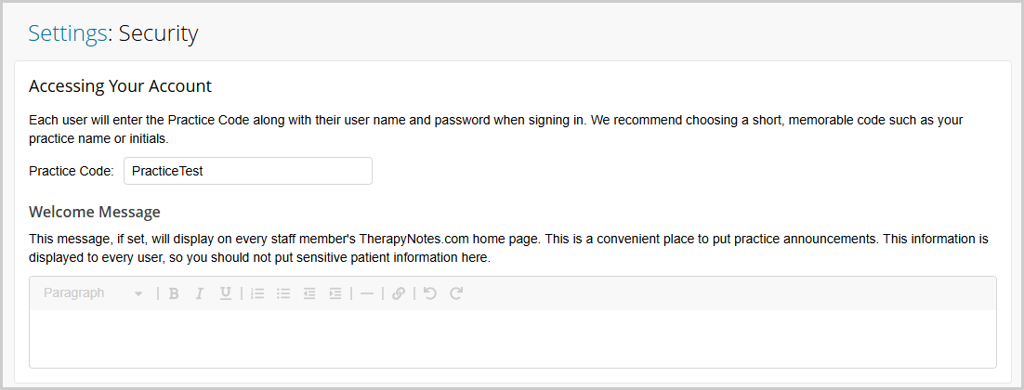
Additionally, the Practice Code and Welcome Message have been moved to the Security settings page. As a reminder, your Practice Code is the unique identifier for your practice and the Welcome Message is a practice-wide message that is displayed on the TherapyNotes home page for all users in your practice.
DrFirst Migration Reminder
As a reminder, practices that use ePrescribe should complete their migration to DrFirst as soon as possible. DrFirst offers a modern prescribing experience with better support for complex medications, built-in dosing tools, and expanded patient savings programs. Start your migration soon to ensure a smooth transition. For detailed guidance, please review our ePrescribe Transition to DrFirst article.
* The content of this post is intended to serve as general advice and information. It is not to be taken as legal advice and may not account for all rules and regulations in every jurisdiction. For legal advice, please contact an attorney.
Get more content like this, delivered right to your inbox. Subscribe to our newsletter.
More Content You'll Enjoy

What’s New: Send Documents to All Patients and More

Maintenance Release 2025.10