By TherapyNotes®, LLC on April 14, 2026

We’re continuing to enhance TherapyNotes® to help you work more efficiently and stay focused on client care. This update includes improvements to document sharing, Telehealth feedback, insurance card review, and billing visibility, all designed to simplify your workflow and reduce time spent on administrative tasks.
Multi-Select in Document Sharing
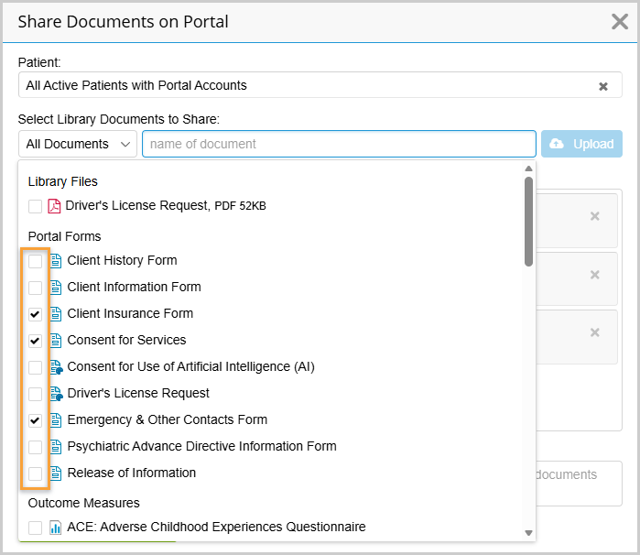
We’ve improved the Share Documents experience to make it faster and more flexible. Previously, documents had to be added one at a time from the document list. Now, you can select multiple documents at once while keeping the document list open, reducing clicks and streamlining the process. The order that you select documents is the order they will appear to patients in TherapyPortal, allowing you to control how they’re presented.
Share Feedback After Telehealth Sessions
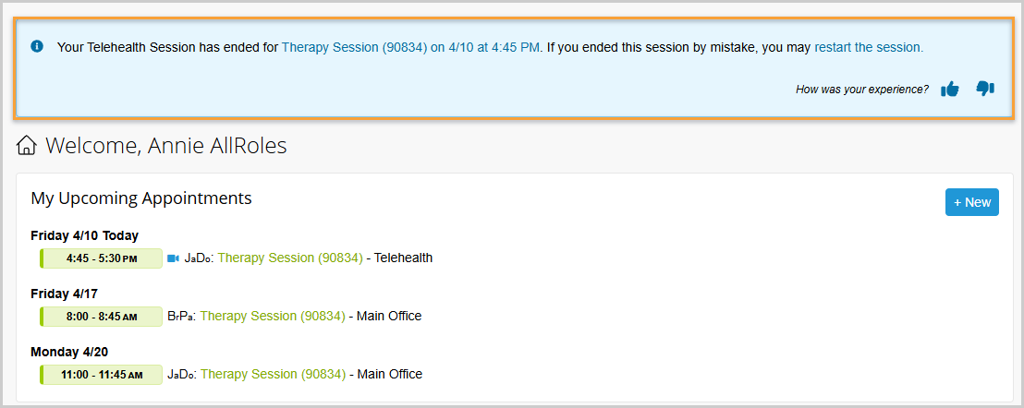
We’ve made substantial improvements to our Telehealth solution over the last several months to deliver a more reliable and seamless experience for you and your clients. If you haven’t used Telehealth recently, now is a great time to take another look. With this update, you can quickly rate each session and share feedback, helping us confirm that our ongoing improvements are having the impact we expect.
When your session ends, a banner will appear at the top of your TherapyNotes window, where you can rate the session and share feedback. If you indicate a negative experience, you’ll also have the option to provide additional details. Your feedback helps us continue improving Telehealth and delivering the experience your practice depends on.
Improved Insurance Card Viewing Experience
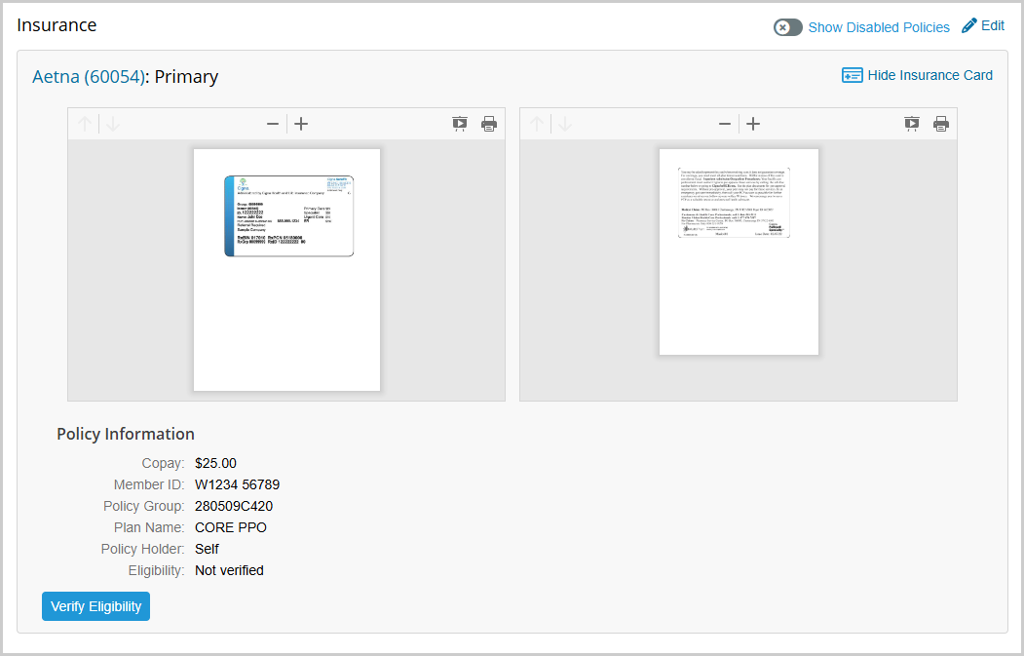
We’ve enhanced the insurance card review experience to make verification faster and more intuitive. Insurance card PDFs now open directly in an in-app viewer, where you can zoom, scroll, and switch to full screen without leaving the page. When both front and back views of the card are available, they’re displayed side by side, reducing clicks and making it easier to review information at a glance. With a cleaner layout and improved alignment with your billing workflow, verifying insurance details is now quicker and more efficient.
Improved Charges Detail Visibility
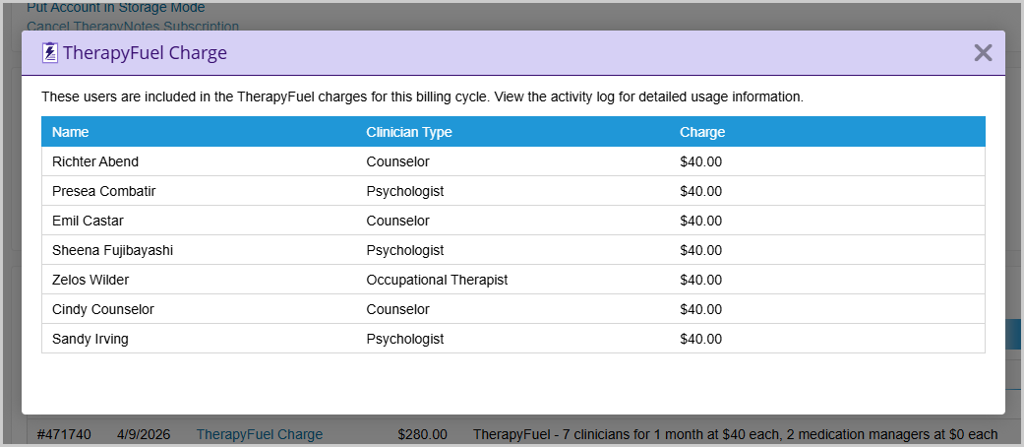
We’ve made it easier to understand your subscription details and how your monthly charges are calculated. In the TherapyNotes Subscription settings page, you can view the Billing History section and now click any entry labeled “TherapyFuel Charge” or “Premium Telehealth Charge” to see a detailed breakdown of all users included in the monthly charge.
* The content of this post is intended to serve as general advice and information. It is not to be taken as legal advice and may not account for all rules and regulations in every jurisdiction. For legal advice, please contact an attorney.
Get more content like this, delivered right to your inbox. Subscribe to our newsletter.
More Content You'll Enjoy

What’s New: Secondary Billing Improvements & Enhanced Client Feedback Form

What’s New: TherapyFuel® ReFuel & ePrescribe Updates
